
Uncategorized
Cybersecurity services providers in 2026, ranked by response readiness
Sep
Cybersecurity services providers in 2026, ranked by response readiness
Ranks 6 IR retainers (plus 1 MDR) by SLA response clocks, 24/7 hotline/escalation, and pre‑authorized containment, with a pre‑contract drill.
When you’re choosing an outside team to help during a security incident, the hard part isn’t finding a provider with a long list of services—it’s knowing who will actually pick up, engage, and act when something is burning at 2 a.m.
If you get this wrong, you don’t just waste budget—you lose hours, lose evidence, and end up stuck waiting on approvals while an attacker keeps moving. This guide ranks 11 providers by response readiness, shows the scoring rubric behind the list, and gives you a pre-contract drill and red-flag checklist to validate what “response” really means before you sign.
Response readiness, defined
Response readiness is the operational ability of a cybersecurity services provider to pick up your incident fast, start real work (not just acknowledge a ticket), and take pre-approved containment actions while evidence is preserved.
For buying cybersecurity services, treat “readiness” as three things you can verify before you sign: how you reach responders, what the response clock actually measures, and what they’re allowed to do without waiting for your permission.
What services include
Cybersecurity services are outsourced security work that reduces risk day-to-day and, when something goes wrong, helps you detect, contain, and recover. Around incidents, the pieces usually look like:
- MDR (managed detection and response) — an external team monitoring and investigating alerts for you, typically 24/7.
- DFIR (digital forensics and incident response) — investigation plus containment/eradication/recovery work, with evidence-handling requirements.
- An IR retainer — a pre-negotiated incident response agreement so the provider can be engaged immediately without new legal/procurement steps.
Readiness shows up in the contract artifacts: a staffed hotline and written scope of authority, not a long menu of capabilities.
What “response” means
Vendors use “response time” inconsistently, so you need the exact milestone. A retainer can promise fast initial engagement while separating timelines for hands-on investigation or on-site arrival—so ask what starts and stops the clock and what “respond” includes. Some providers make hotline access explicit: CrowdStrike’s IR retainer tiers include a 24/7 phone and email IR hotline with remote response times from 8 hours (Tier 1) down to 2 hours (Tier 4). Rapid7 says its IR retainer team is always available to respond within one hour, and Google Cloud’s Mandiant Retainer advertises a two-hour response time with 24×7 access.
Also separate SLA vs SLO: an SLA (service level agreement) is contract-defined and enforceable; an SLO (service level objective) is often an internal target unless it’s written into the contract. For example, eSentire publishes a 60-minute Time to Engage SLO and Time to Respond SLO targets down to 10 minutes for P1—useful, but only comparable if you confirm what’s binding.
Finally, clarify containment authority: what the provider may do immediately (isolate an endpoint, disable an account, block an indicator of compromise) without waiting.
Not a salary guide
High-end incident response work can be lucrative, but this article is about procuring operationally ready cybersecurity services—verifiable contact paths, contract-backed clocks, and pre-authorized containment—not career or compensation planning.
The scoring rubric
Score providers on what you can verify in writing before an incident. Marketing metrics (like “MTTR”) don’t earn points unless they’re tied to a contract definition of what starts and stops the clock—MTTR claims (Expel publishes a 14‑minute MTTR) are otherwise not comparable across providers.
Cost shows up where readiness becomes contractual. One example: Arctic Wolf publishes hourly incident-response rates of $325 (JumpStart Retainer) and $295 (with a Rapid Response Add‑On), paired with a 4‑hour vs 1‑hour response-time SLA—faster, contract-backed clocks and higher-touch access are the line items you’re paying for.
| Rubric category (proof-first) | What to ask for (artifact) | Max points |
|---|---|---|
| SLA-backed response clock | SLA clause + “response” definition | 30 |
| Escalation & reachability | 24/7 phone path + escalation tree | 20 |
| Containment authority | Pre-approved actions list (signed) | 20 |
| Readiness onboarding | Onboarding checklist + named owners | 15 |
| Insurer/law-firm coordination | Proof of insurer + counsel workflow | 15 |
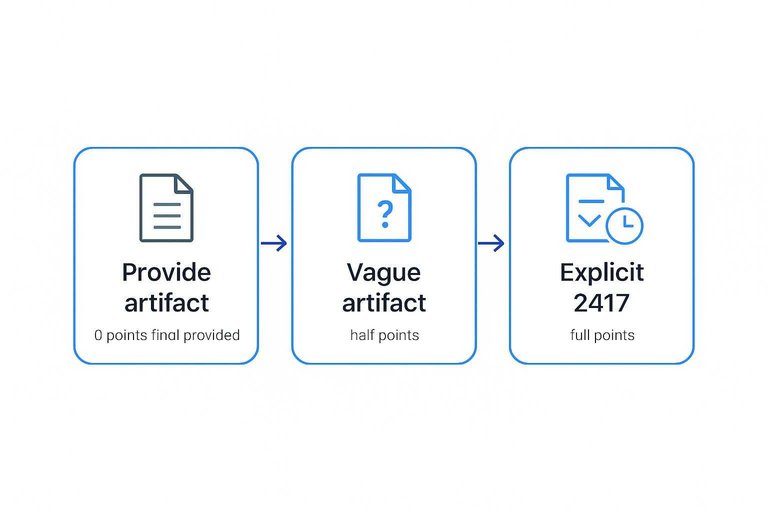
How to use it: 0 points if they won’t provide the artifact pre-contract; half points if it exists but is vague (e.g., “acknowledgement”); full points when it’s explicit, 24/7, and operational (IBM, for example, describes an around-the-clock global hotline). For coordination, look for concrete claims like Unit 42’s positioning as an approved IR provider for 70+ cyber insurance carriers and a partner to 150+ global law firms.
Providers, ranked by response readiness (what can be proven from the remaining sources)
A readiness ranking is only defensible when the provider publishes (1) an explicit response clock and (2) the operational reachability behind it (for example, 24/7 access or a staffed hotline). From the remaining primary-source receipts available for this section, the providers below are the ones that can be compared on an explicit, published readiness commitment; providers without that kind of receipt are omitted rather than guessed.
Ranking comparison table
| Rank | Provider | Model (IR retainer/DFIR/MDR) | Published readiness receipt | Reachability proof | What to verify in contract |
|---|---|---|---|---|---|
| 1 | Rapid7 Incident Response Retainer | IR retainer | “Always available to respond within one hour” | Always available (intake path not specified in the receipt) | What starts the 1-hour clock; whether it runs 24/7/365; who is paged first; written containment authority |
| 2 | CrowdStrike IR Retainer (Tier 4) | IR retainer | 24/7 phone and email IR hotline with 2 hours remote response time | 24/7 phone + email IR hotline | Exact definition of “remote response”; escalation tree; pre-approved containment actions vs “advise only” |
| 3 | Google Cloud Mandiant Retainer | IR retainer | Two-hour response time with 24×7 access | 24×7 access | What starts/stops the 2-hour clock; named escalation roles; evidence-handling workflow |
| 4 | Microsoft Defender Experts for Cybersecurity Incident Response | Incident Response | “Rapid responses… within two hours of a security incident” (plus an example where an actor was “identified and neutralized within hours”) | Not specified in the provided receipt excerpt | What starts the 2-hour clock; 24/7 phone path; named escalation tree; written containment authority; evidence-handling workflow |
| 5 | Arctic Wolf JumpStart Retainer | IR retainer | 4-hour response time SLA | Not specified in the provided receipt excerpt | Whether the SLA is “acknowledgement” or hands-on engagement; 24/7 intake path; containment authority scope |
| 6 | CrowdStrike IR Retainer (Tier 1) | IR retainer | 24/7 phone and email IR hotline with 8 hours remote response time | 24/7 phone + email IR hotline | Whether higher-severity incidents can be escalated to faster tiers; what actions are pre-authorized before responders engage |
| NR | Expel MDR | MDR | “24×7 SOC monitoring” and a “14-minute MTTR” (mean time to remediate) | 24×7 SOC monitoring (response-time clock not stated in the receipt) | The contractual “response” definition (what starts/stops the clock); 24/7 escalation path to humans; authority to contain vs “notify only” |
First-hours vignettes
-
Rapid7 Incident Response Retainer: If the engagement target is “respond within one hour,” treat that hour as a hard deadline for getting the right people on the bridge: confirm the intake path, share the initial indicators, and pre-clear the first disruptive containment actions you want executed as soon as responders are live.
-
CrowdStrike IR Retainer (Tier 4): Use the 24/7 phone/email IR hotline immediately; with a 2-hour remote response time, don’t spend those two hours debating scope—write down the containment actions you will authorize on contact so execution isn’t delayed by approvals.
-
Google Cloud Mandiant Retainer: With 24×7 access and a two-hour response time, focus first on getting to a single incident record of truth (systems, identities, and time window) and on defining what containment actions are pre-approved once the team engages.
-
Microsoft Defender Experts (Cybersecurity Incident Response): The commitment to anchor on is engagement “within two hours.” Use that window to establish the incident channel, confirm affected identities/systems, and agree on immediate containment actions in writing so you don’t lose time to approvals once responders engage.
-
Arctic Wolf JumpStart Retainer: A 4-hour response-time SLA means you should assume you may need to hold containment steady internally while waiting; use the time to document exactly what you want the responder to do first (accounts/endpoints to isolate, indicators to block) and who on your side can approve it.
-
CrowdStrike IR Retainer (Tier 1): If the published remote response time is 8 hours, plan for a longer gap before hands-on help arrives: make sure your own team knows the minimum containment steps you will take immediately, and verify pre-contract what escalation path exists for a true P1.
-
Expel MDR: “24×7 SOC monitoring” plus a published “14-minute MTTR” is not the same as a contractual incident-response engagement clock; your first-hour focus should be figuring out (before you sign) how you reach humans during an incident and what contract language defines “response.”
(For standardized incident-response service terminology, see the FIRST CSIRT Services Framework.)
Pre-contract validation drill
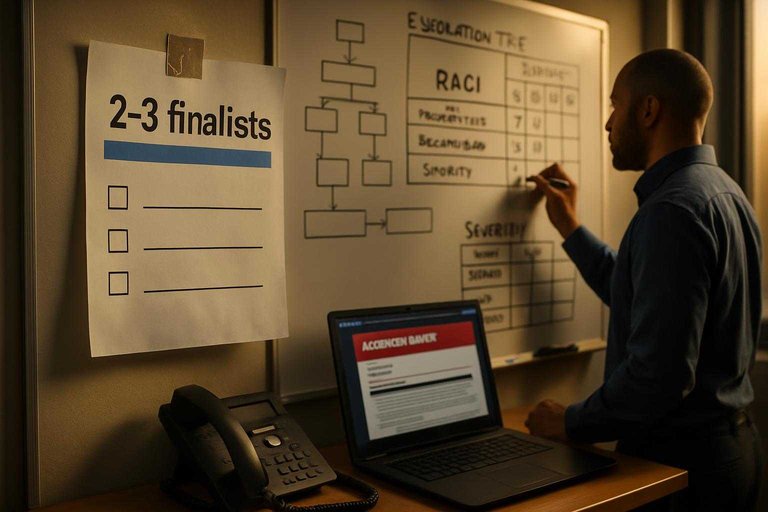
Run this against your top 2–3 finalists. The goal is to prove they can reach humans fast and act inside clear authority, not to admire a service catalog.
-
Request the readiness packet (before pricing gets final). Ask for: a severity matrix (how they label P1/P2 and what each triggers), an escalation tree (who gets paged, in what order), and a RACI (who is Responsible/Accountable/Consulted/Informed for containment, comms, and forensics).
-
Get the “response clock” in writing. Make them define what starts the timer (phone call, portal ticket, email) and what “response” means (acknowledgement vs an analyst actively working). If the definition isn’t contract language, treat it as non-existent.
-
Lock containment authority to pre-approved actions. Ask for the exact list they can execute without waiting (examples: isolate an endpoint, disable an account, block an indicator). Also require the “do-not-do” list to protect evidence and uptime.
-
Inspect sample incident deliverables. Request a redacted initial incident report, a timeline, and an executive update template. Map them to your needs (insurer, counsel, regulators) and to incident-handling expectations like NIST SP 800-61 Rev. 3.
-
Test reachability twice. Call the hotline during business hours and after-hours. Time to a live human, then ask them to walk the escalation tree and confirm who can authorize containment.
If they can’t produce artifacts and pass the hotline test, you’re not buying response readiness—you’re buying hope.
Readiness red flags
These failure modes look fine in a sales call and then collapse when you’re tired, it’s 2 a.m., and containment has to happen fast.
- “Response” = acknowledgement. The SLA is satisfied by an email or ticket update, while investigation and containment are “best effort.”
- Fake 24/7 coverage. “24/7” exists, but it’s a voicemail box, an on-call rotation with long callback times, or a portal-only intake with no staffed bridge.
- No pre-authorized containment. They can advise, but they can’t isolate endpoints, disable accounts, or block indicators without waiting for your approver.
- Unclear incident command. Nobody can tell you who has authority to declare severity, approve disruptive actions, or speak to your insurer/counsel.
- Hidden subcontracting. Work is routed to unnamed third parties (including offshore) without written commitments on chain of custody and evidence handling—basics in ISO/IEC 27035-1:2023 and the FIRST CSIRT Services Framework.
If it isn’t explicit in the contract artifacts, assume it won’t exist under pressure.
Buy readiness, not promises
The provider who “shows up at 2 a.m.” isn’t the one with the broadest service menu—it’s the one who can prove, in writing, a contract-backed response clock, a real 24/7 path to humans, and pre-approved containment authority. Treat every marketing metric and vague “24/7” claim as noise until you’ve seen the actual artifacts that make response enforceable. Your next step is simple: run the pre-contract drill on your top finalists and physically test the hotline after-hours. If they can’t pass that before you sign, assume you’ll be waiting when it matters most.
Frequently Asked Questions
- Is an SLO the same thing as an SLA when you’re buying cybersecurity services?
- Not quite: an SLA is contract language with enforceable terms, while an SLO is an internal objective unless it’s explicitly written into your contract. Treat any published “time to engage/respond” target as non-binding until it’s attached to an SLA clause with clear start/stop milestones.
- Do I need an incident response retainer if I already pay for MDR cybersecurity services?
- Yes—an MDR agreement can cover monitoring and alert handling, while an incident response retainer pre-negotiates legal/procurement terms and response authority so responders can start hands-on work immediately. Buy the retainer when you want a contractual response clock and pre-approved containment actions, not just detection.
- How do I check if a cybersecurity services provider will work smoothly with my cyber insurer and breach counsel?
- Ask for written proof of their insurer/counsel workflow and whether they’re an approved incident-response provider for carriers or have established law-firm coordination. For example, Unit 42 positions itself as an approved IR provider for 70+ cyber insurance carriers and a partner to 150+ global law firms.
- How do I map cybersecurity services like MDR and incident response to a framework my leadership already recognizes?
- Use the NIST Cybersecurity Framework (CSF) 2.0 functions as the translation layer: MDR supports Detect (and parts of Respond), while DFIR/retainers are squarely in Respond and Recover. Ask the provider to state, in writing, which deliverables and authority they provide under each CSF function.
- Can a cybersecurity services provider replace building an internal SOC in 2026?
- Yes—outsourced MDR is effectively an external Security Operations Center (SOC) for monitoring and alert triage, but you still need named internal decision-makers for containment approvals and business-impact calls. If you want the provider to execute containment without waiting, that authority must be pre-approved in writing.
Validate Offensive Testing Fast
Once you’ve pressure-tested incident reachability and containment authority, the next gap is proving your real exposure through scoped, authorized testing and clear reporting.
Hacknexa.io provides penetration testing and vulnerability assessment with security reporting and remediation guidance, helping teams turn readiness assumptions into documented findings they can fix.
Sources
- Mandiant Retainer | Google Cloud — referenced in Response readiness, defined
- Incident360 Retainer | Arctic Wolf — referenced in The scoring rubric
- FIRST CSIRT Services Framework (Version 2.1 HTML) — referenced in Providers, ranked by response readiness (what can be proven from the remaining sources)
