


Uncategorized
Hire Social Media Hacker vs Account Recovery: What Gets Access Back
Sep
Hire Social Media Hacker vs Account Recovery: What Gets Access Back
Official recovery vs hire social media hacker offers: legal line, secure email/phone/devices first, scam checks, and when to hire DFIR help.
You’re locked out of a social media account your business relies on, and someone else is posting, messaging, or changing security settings as you. The pressure to “just get back in” makes the fastest-sounding option tempting—but choosing the wrong path can cost you money, time, and even create legal exposure.
This comparison gives you a clear way to decide today: where the legal line is, what you must secure first (email/phone/devices) so recovery doesn’t get undone, how recovery actually verifies ownership, what to watch for in “recovery” offers (like requests for codes or promises to bypass security), and what legitimate outside help can do—plus a tight checklist for after you’re back in.
Legal line first
Your own ATO
An Account Takeover (ATO) is when an attacker gains control of your account and can post, message, or change security settings as you. In that situation, “authorized” work is anything done as the rightful account holder through the platform’s recovery path—plus basic containment—rather than trying to bypass login controls.
The FTC’s consumer guidance starts with updating your computer’s security software and running a scan, then following the provider’s official account-recovery instructions. That’s the lane that keeps your actions defensible: document what changed, preserve any alerts/emails, and work the recovery process the platform already uses to prove ownership. (See the FTC’s step-by-step guidance on recovering a hacked account.
Not your account
If it’s not your account, trying to get in is unauthorized access—even if the story is “I’m just helping,” “they scammed me,” or “I’ll pay to get it back.” The Computer Fraud and Abuse Act (CFAA, 18 U.S.C. § 1030) is a U.S. federal statute that criminalizes certain forms of unauthorized computer access (and related conduct), including intentionally accessing a computer without authorization or exceeding authorized access; the Supreme Court in Van Buren framed “exceeds authorized access” around obtaining information you’re not entitled to obtain.
That legal boundary lines up with platform rules and marketplaces: TikTok’s Privacy & Security guidelines explicitly disallow hacking accounts or using unauthorized ways to access TikTok, and Fiverr prohibits services that attempt to gain unauthorized access to accounts—including bypassing passwords or two-factor authentication. If you’re searching “hire social media hacker,” draw the line here: pay for recovery and incident response help, not for access to someone else’s account.
Secure dependencies first
If you were hit by phishing—tricking a user into giving credentials or codes by posing as a trusted sender or support channel—the attacker may control the “keys” that every recovery flow relies on. Lock those down first, or any reset you do can be undone.
- Scan every device you used to log in (laptop, phone, browser extensions) and remove anything you don’t trust.
- Secure your email account: change its password, enable two-factor authentication, and check for new inbox rules/forwarding addresses you didn’t add.
- Secure your phone number with your carrier: review recent SIM changes and add a port-out/SIM-swap PIN if available.
- Reset passwords for the social account and any “recovery” accounts, using unique passwords you haven’t reused.
- Revoke access: sign out of all sessions and remove unknown connected apps/devices.
- Only now start platform recovery and reporting—for TikTok, its US Terms say to notify them immediately if you suspect a third party knows your password or accessed your account, via tiktok.com/legal/report/feedback. (Reference: TikTok’s US Terms of Service.) For X, use the Help Center’s hacked-or-compromised account form.
Get the dependency chain right, and your recovery attempts finally stick.
How recovery really works
An account recovery flow—your platform’s official process for proving ownership and regaining access (typically through verified email/phone, device signals, and identity checks)—isn’t optimized for “getting you in fast.” It’s optimized for getting the right person back in, even when an attacker is still trying to look like you.
That’s why the core question support systems are built to answer is: “What ownership signals can we verify?” Signals are things the platform already observed before the takeover, like recognized devices/sessions and established contact methods. When those are missing or look risky, platforms lean harder on identity.
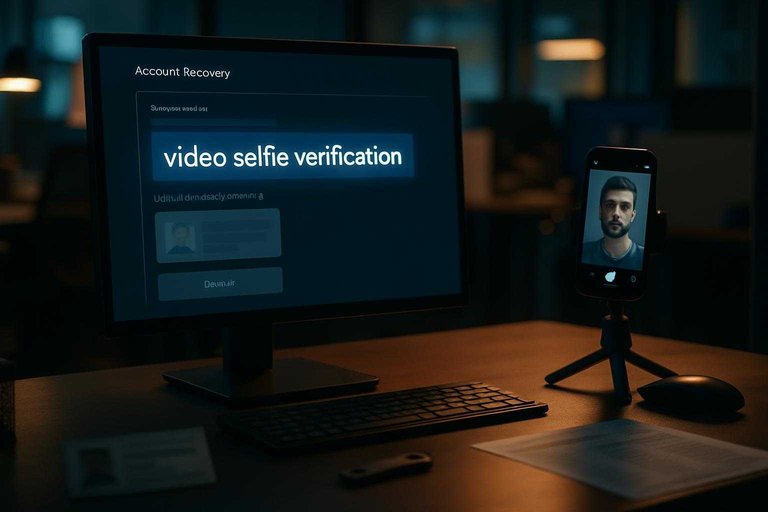
Meta has been explicit about this tradeoff: when it believes a Facebook or Instagram account is compromised, it requires the account holder to verify identity before regaining access—including by uploading an official ID (or an official certificate that includes their name). Meta has also tested video selfie verification—a recovery identity check where you submit a short selfie video that’s compared to profile photos—using facial recognition, with the selfie taking about a minute to complete.
Meta also says these recovery selfies are encrypted and stored securely, aren’t visible on your profile, and that the facial data generated for the comparison is deleted right after the check.
This is why “hire social media hacker” pitches that promise a bypass collide with how platforms are designing recovery—and why TikTok’s rules explicitly ban unauthorized access methods, while its US Terms put the burden on you to notify TikTok immediately if you suspect compromise. (Source: Meta’s write-up on video selfie verification testing.)
Are hackers for hire real?
If you search “hire social media hacker,” what you typically find is (1) straight-up scams and (2) people selling unauthorized access. Even when the seller is “real,” what they’re offering is a bypass—not the platform’s recovery flow—so it’s not a defensible account-recovery plan.
- “We’ll bypass the password/2FA”: that’s a claim of unauthorized access, not recovery.
- Requests for your login, backup codes, or one-time codes: those are the exact “keys” an attacker needs to keep control.
- Off-platform payment + urgency: the classic setup for getting paid and then blocked.
- Impersonation of “support” or authorities: the FBI’s IC3 warns scammers impersonate IC3, and IC3 will never contact you for money or info. (See the IC3 note on impersonation scams.)
- “Legit marketplace” framing: Upwork’s Trust & Safety policy bans “hacking a website, person, company, or anything else,” so real operators can’t sell “hack it back” there.
Screen recovery offers
If you’re tempted to “hire social media hacker” help, treat every pitch like a phishing attempt until it proves otherwise. The fastest way to lose the account and money is to hand a stranger the exact recovery keys.
- Any promise to “bypass 2FA.” Two-factor authentication (2FA)—a second login check (code/app/key) required in addition to a password—exists specifically to stop outsiders. “Bypass” is a claim of unauthorized access, not recovery.
- They ask for your password, backup codes, or one-time codes. A real helper never needs your login secrets to guide you through official recovery.
- They push off-platform payment or communication. If they want you to leave the marketplace or pay outside its system, you lose dispute and fraud protections.
- They impersonate support or authorities. Scammers pose as platform “support” or even the FBI’s Internet Crime Complaint Center (IC3); treat any request for money or sensitive info as a hard stop.
- They advertise “hacking accounts” as a normal service. TikTok’s Privacy & Security Community Guidelines list hacking accounts and accessing data using tricks like phishing/smishing/automated tools (and even using fake versions of the platform) as not allowed. (See TikTok’s Privacy & Security Community Guidelines.)
- They list the job on a mainstream marketplace anyway. Upwork Trust & Safety and Fiverr’s Help Center prohibit unauthorized-access work, so any “hack it back” gig there is either misrepresented or policy-violating.
If you hit one of these, end the conversation and keep all recovery steps inside the platform’s official flow.
Legitimate outside help
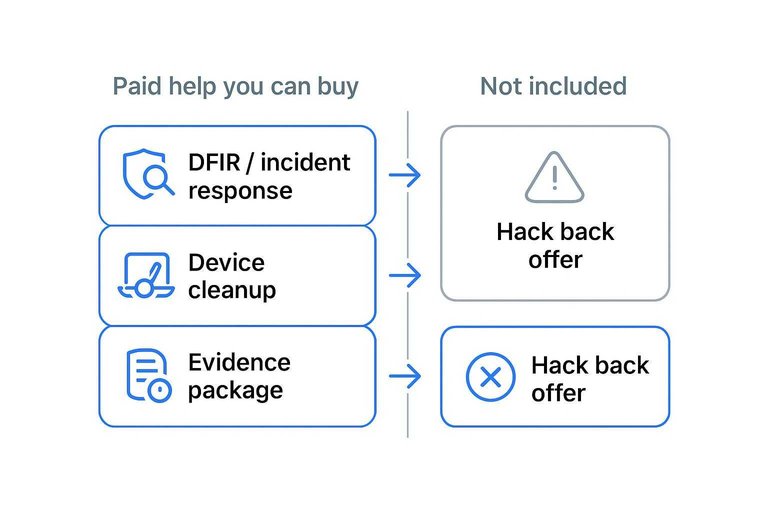
If you want paid, legitimate help after a takeover, buy DFIR (digital forensics and incident response: figuring out what happened, preserving evidence, and removing the attacker’s foothold) and endpoint cleanup—not “access.” That work reduces the chance you get re-compromised while you go through the platform’s recovery flow.
Upwork is one straightforward place to hire this kind of ethical help: it lists $45 to $70/hr for an “ethical hacker” and $40 to $53/hr for a generic “hacker,” plus common project ranges like $500–$1,500 for a vulnerability assessment and $2,000–$5,000 for a web app penetration test.
| Paid help you can buy | What you’re paying for | Output you take away | Not included |
|---|---|---|---|
| DFIR / incident response | Timeline + root cause | Containment plan | Platform login bypass |
| Device cleanup (IT/security) | Remove persistence | Clean device baseline | “Guaranteed” access |
| Evidence package | Proof for escalation | Screens, headers, timestamps | Faster platform queues |
| Hacknexa.io (DFIR-style) | Forensics + reporting | Security report artifacts | Any special platform access |
| “Hack back” offer | Claimed shortcut | High scam exposure | Defensible documentation |
The documentation matters: the FBI’s IC3 logged ~4,700 ATO complaints and $359.7M in losses in 2025, and a clean evidence trail supports fraud reporting and support escalation. (Source: the 2025 IC3 Annual Report.)
Decision rubric today
Use this to decide what to do next—and what kind of outside help is legitimate.
| If this is true… | Secure first | Then do | Don’t do |
|---|---|---|---|
| Attacker controls your email/phone/device | Clean devices; lock email/phone | Start official recovery | Pay anyone to “get you in” |
| Email/device are secure, but you’re locked out | Preserve alerts and timestamps | Run the platform recovery flow | Share passwords or one-time codes |
| You suspect persistence (malware, new logins keep reappearing) | Full device cleanup | Hire DFIR/incident response | Keep logging in from an infected device |
| You need faster triage on Meta | Secure email/phone/device | Use Meta AI support assistant (claims under five seconds) | Trust “priority support” DMs |
| You were scammed or asked to pay off-platform | Stop contact; save proof | Report to platform + marketplace/payment provider | Send more money to “unlock” |
If someone sells a bypass, you’re buying unauthorized access—not recovery.
After you’re back in
Once you’ve regained access, assume the attacker may still have a path back in. Do this immediately, in order:
- Sign out of all sessions and remove any unfamiliar devices or connected apps.
- Rotate your password to a new, unique one, then update your password manager entry.
- Turn on 2FA and regenerate/replace any backup codes you previously saved.
- Review recovery channels: email, phone number, trusted contacts, and any account-linked rules you didn’t create.
- Enable login/security alerts and run Meta Security Checkup (or the platform’s equivalent) to confirm settings and review recent activity.
If anything reverts after you change it, treat that as an active incident and re-check your email, phone, and devices before you keep tweaking the social account.
Choose recovery, not a bypass
If you’re trying to get your business account back, the only defensible path is the platform’s official recovery flow—because that’s the system designed to verify ownership, while “hack it back” offers are selling unauthorized access (and the risks that come with it). Your first move isn’t hunting for a faster door; it’s securing the dependency chain the attacker may still control—clean the devices you used, lock down email and phone, then start recovery and report the compromise inside the platform’s own channels. If settings keep reverting or new logins reappear, pay for incident response/forensics and endpoint cleanup (plus documentation for escalation)—not for anyone promising to bypass passwords or 2FA. Once you’re back in, treat stabilization as part of recovery: terminate sessions, rotate to a unique password, regenerate backup codes, and turn on 2FA and alerts so the takeover doesn’t repeat.
Frequently Asked Questions
- Is it illegal to hire a social media hacker to get my account back?
- Yes if the service involves bypassing login controls, using stolen credentials, or accessing the account without the platform’s authorization—those are the same “unauthorized access” acts that computer-access laws target. Even if you own the account, paying a third party to break in can still cross the legal line when access is obtained through prohibited methods.
- Where can I hire a social media hacker without getting scammed?
- Reputable marketplaces prohibit “hack it back” and unauthorized-access work, so anyone advertising that service there is either misrepresenting what they do or violating policy. If you’re paying for outside help, hire incident response/device cleanup instead of “access,” and keep the actual login recovery inside the platform’s official flow.
- How much does it cost to hire an ethical hacker for account recovery help?
- Upwork lists $45 to $70/hr for an “ethical hacker” and $40 to $53/hr for a generic “hacker,” but that legitimate spend is for investigation and cleanup—not a guaranteed platform login bypass. Use paid help to secure devices and document the compromise while you complete the platform’s recovery steps yourself.
- Can a hacker bypass Instagram or Facebook recovery if the platform asks for ID or a video selfie?
- No—those checks are designed to verify the real account owner, and Meta has tested video-selfie verification that uses facial recognition and takes about a minute to complete. A “bypass” pitch is offering unauthorized access, not an alternative recovery path.
- If I already paid someone I found when searching “hire social media hacker,” what should I do next?
- Stop contact, don’t send more money or codes, and keep a clean record of messages, payment receipts, and any addresses or handles they used. File a scam report with the FTC using their Consumer Advice guidance and then continue recovery only through the platform’s official support channels.
Stabilize Access After Recovery
Getting back in is only half the job—what slows teams down is proving how the takeover happened and closing every path the attacker can reuse.
Hacknexa.io provides digital forensics and security testing to document the compromise, identify the foothold, and guide remediation so your recovery actually sticks.
Sources
- How To Recover Your Hacked Email or Social Media Account | Consumer Advice (FTC) — referenced in Your own ATO
- Terms of Service | TikTok (US) — referenced in Secure dependencies first
- Testing New Ways to Combat Scams and Help Restore Access to Compromised Accounts | Meta Newsroom — referenced in How recovery really works
- Welcome to the Internet Crime Complaint Center | IC3 (FBI) — referenced in Are hackers for hire real?
- Community Guidelines – Privacy and Security | TikTok — referenced in Screen recovery offers
- 2025 IC3 Annual Report | FBI (PDF) — referenced in Legitimate outside help
